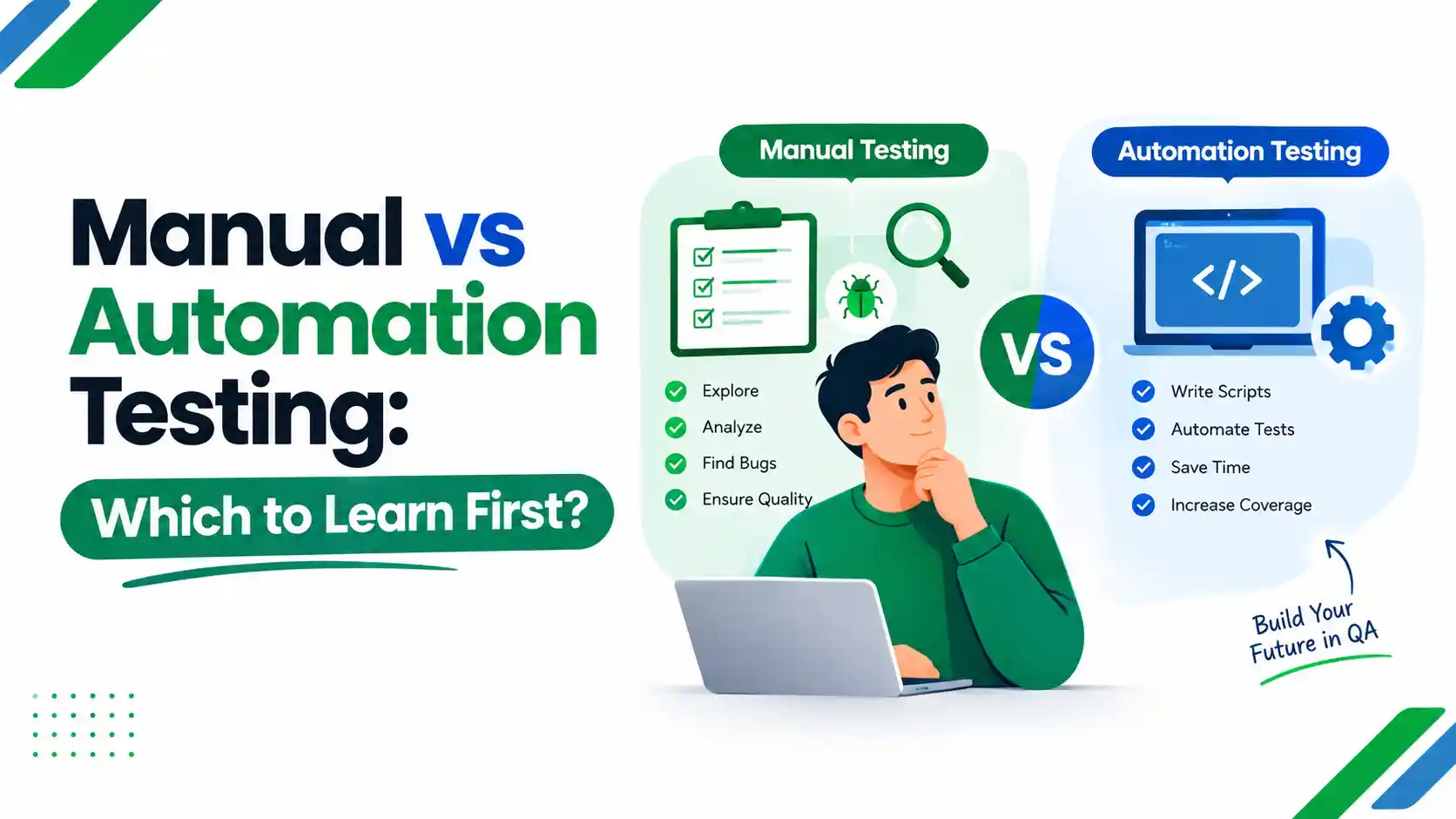
Short answer: Start with manual testing fundamentals, then add automation. Manual testing teaches you how to think like a tester: how to design test cases, spot risk and report defects clearly. Automation testing then lets you apply that thinking at speed, using code. Most QA roles value both, and the two work together rather than compete.
This guide explains what each one involves, how they differ, what you need to learn, and how to choose a path if you are starting out in Pakistan.
Introduction
If you are planning a career in software quality assurance, one question comes up almost immediately: should you learn manual testing or automation testing first?
The short answer: begin with manual testing fundamentals, then add automation. Manual testing teaches you how to think like a tester, including how to design test cases, spot risk and report defects clearly. Automation testing then lets you apply that thinking at speed, using code and tools such as Selenium or Playwright.
The two are not rivals. Most QA teams use both, and most job descriptions value testers who understand both.
In this guide, you will learn:
- What manual testing and automation testing are, with simple examples
- The key differences between them, in a clear comparison table
- When to use each approach, and which tests suit automation
- The skills and tools each path requires
- Whether AI will replace testers
- A step-by-step order for learning, so you do not waste time
Whether you are a complete beginner, a student choosing a career or a manual tester thinking about automation, this guide will help you decide where to start.
What Is Manual Testing?
Manual testing is the process of checking software by hand, without automation scripts. A tester uses the application as a real user would. They follow test cases, explore features, compare results with the requirements and report any defects.
Typical manual testing tasks include:
- Reading requirements and writing test scenarios and test cases
- Executing tests on web, mobile or desktop applications
- Logging bugs with clear steps to reproduce, screenshots and severity
- Retesting fixes and checking that nothing else has broken
- Judging usability, layout and overall user experience
Manual testing relies on human observation. A script only checks what it was told to check. A person can notice that a button feels confusing, a message is unclear or a page looks wrong.
What Is Automation Testing?
Automation testing uses tools and scripts to run tests automatically and compare actual results with expected ones. Testers write the scripts once, then run them repeatedly, often every time developers change the code.
It is most useful for repetitive, stable and high-volume checks, such as:
- Regression suites that must run after every release
- Smoke tests that confirm a new build is basically working
- API checks that validate data between systems
- Cross-browser and cross-device checks
- Tests triggered automatically within a CI/CD pipeline
Automation does not remove the need for thinking. Someone still decides what to automate, designs the tests, maintains the scripts and interprets failures.
Manual Testing vs Automation Testing: Key Differences
| Factor | Manual testing | Automation testing |
| How tests run | A person executes them step by step | Scripts and tools execute them |
| Coding needed | Not usually | Usually yes, at least basic programming |
| Best for | Exploratory, usability and ad hoc testing, new features | Regression, repeated, data-heavy and cross-browser tests |
| Speed on repeat runs | Slower, effort grows each cycle | Fast once scripts are stable |
| Upfront effort | Lower | Higher: framework, scripts, environments |
| Ongoing maintenance | Updating test documents | Updating scripts when the application changes |
| Human judgement | High | Limited to what is scripted |
| Typical starting point for beginners | Easier | Steeper learning curve |
Neither is "better" in every situation. Each fits different testing needs.
Advantages and Disadvantages of Manual Testing
Advantages
- Easier for beginners to start, with no programming required at the entry level
- Strong for exploratory testing, usability and visual checks
- Flexible when requirements are changing or incomplete
- Low setup cost for short projects or early-stage products
Disadvantages
- Repeating the same tests every release is slow and tiring
- Human error is more likely in long, repetitive checks
- Hard to scale across many devices, browsers and data sets
- Not practical for running large regression suites after every code change
Advantages and Disadvantages of Automation Testing
Advantages
- Fast, consistent execution of repetitive tests
- Wider regression coverage in less time
- Fits CI/CD and DevOps workflows, giving quick feedback to developers
- Frees testers to spend time on exploratory and risk-based testing
Disadvantages
- Needs programming knowledge and tool skills
- Higher initial setup effort
- Scripts require continuous maintenance as the product changes
- Poorly chosen tests produce flaky, unreliable results and waste time
When to Use Manual Testing
Choose manual testing when:
A feature is new or changing often. Automating unstable features creates scripts that break constantly.
You are testing usability or design. Judging whether something feels clear is a human task.
You are doing exploratory testing. Experienced testers investigate the product with curiosity, without a fixed script.
A test will run only once or twice. The cost of automating it will not pay off.
You need quick feedback on a small change and no script exists yet.
When to Use Automation Testing
Choose automation when:
Tests are repeated frequently, such as regression and smoke suites.
The feature is stable and its behaviour is well defined.
You need the same check across many browsers, devices or data sets.
Releases are frequent, and manual regression would delay delivery.
You are testing APIs, where checks are data-driven and fast.
A useful rule: automate what is repetitive, stable and valuable to check. Keep manual what needs human judgement or is still changing.
Skills You Need for Each Path
Manual testing skills
- Understanding the software development life cycle (SDLC) and software testing life cycle (STLC)
- Writing clear test scenarios and test cases
- Test design techniques such as boundary value analysis and equivalence partitioning
- Defect reporting and tracking (for example in Jira or similar tools)
- Functional, regression, smoke, sanity, integration, system and acceptance testing
- Agile and Scrum basics
- Communication, attention to detail and curiosity
For terminology, the ISTQB glossary is the standard international reference.
Automation testing skills
Everything above, plus:
- A programming language, such as Java, Python, JavaScript or C#
- A UI automation tool, such as Selenium, Playwright or Cypress
- Mobile automation basics with Appium if you target mobile apps
- API testing, using tools such as Postman or REST-based libraries
- Test automation framework design and test data handling
- Version control (Git) and an introduction to CI/CD
- Reading logs and debugging failing tests
If programming is new to you, practise the basics first. Our JavaScript beginner projects guide is a practical place to start building logic and confidence.
Which Is Easier to Learn?
Manual testing is generally easier to begin with because it needs no programming. You can start by learning test case writing and bug reporting.
Automation has a steeper curve. You need to learn programming concepts, a tool and a framework, and then maintain what you build. That is manageable with steady practice, but it takes longer to become productive.
"Easier" does not mean "less valuable". Weak manual fundamentals produce weak automation, because a script is only as good as the test idea behind it.
Career Scope: Which Has Better Opportunities?
Both paths exist in the market, and many job descriptions ask for a mix. Roles you will see include QA tester, QA analyst, software test engineer, automation QA engineer and test automation engineer.
Some points that are reasonably safe to state:
- Entry-level roles often start with manual testing responsibilities.
- Roles that require automation skills usually ask for programming and framework knowledge, so they tend to be more technical.
- Teams that release frequently usually want testers who can contribute to automation.
On salary and demand: figures vary widely by company, city, experience and skills, and they change over time. Rather than trusting an unsourced number, check current data from:
- The U.S. Bureau of Labor Statistics page on software developers, QA analysts and testers, which gives outlook information for the wider profession
- Current Pakistani job listings, comparing requirements for manual and automation roles
- Pakistan's IT industry bodies, such as PSEB, for sector updates
Look at the skills asked for in live listings in Islamabad, Lahore, Karachi or remote roles. That tells you more than any single headline figure.
Will AI Replace Manual or Automation Testers?
AI tools are changing how testing is done. They can help generate test ideas, draft scripts and speed up analysis. They still need people to define quality, judge risk, review output and understand the business context.
A reasonable view is that repetitive, low-judgement tasks are the most exposed, while skills like test strategy, exploratory testing, automation design and clear communication stay valuable. That is an interpretation, not a guarantee. For a wider discussion, see our guide on how AI is affecting traditional jobs.
How Manual and Automation Testing Work Together
In a healthy QA process, the two support each other:
Manual testers explore a new feature and find defects automation would never look for.
Stable, repeatable checks are automated and added to the regression suite.
Automation runs on every build, giving fast feedback.
Manual effort shifts to new risk, usability and edge cases.
This is why automation does not completely replace manual testing. It takes over repetition so people can spend time where judgement matters.
What Should You Learn First?
Follow this sequence if you are starting from zero:
Learn testing fundamentals: SDLC, STLC, test levels and test types.
Practise manual testing: write test cases for real websites or apps and log realistic bug reports.
Learn the tools of daily QA work: a defect tracker, test management basics and API testing with Postman.
Learn one programming language well enough to read and write simple scripts.
Pick one automation tool (Selenium or Playwright are common choices) and automate a few real regression checks.
Learn the pipeline: Git and basic CI/CD concepts.
Build a portfolio: a small set of test cases, bug reports and an automation project you can explain.
You do not need to master everything before applying for roles. Many testers begin with manual work and grow into automation on the job.
Free and Paid Ways to Learn
- Free: official tool documentation (Selenium, Playwright, Cypress), ISTQB glossary and syllabi overviews, and practice sites that let you test sample applications.
- Paid and structured: instructor-led training can help if you want feedback, a clear order of topics and mentoring. Check the syllabus, assessment method and what the certificate represents before you enrol.
IDT Pakistan's Software Quality Assurance course page lists the current syllabus, fee, duration and batch details. You can also read about the mentors before deciding.
Common Mistakes Beginners Make
- Jumping straight to automation tools without understanding test design
- Automating everything, including unstable features, which leads to fragile scripts
- Learning several tools at once instead of mastering one
- Ignoring bug report quality: unclear reports waste everyone's time
- Skipping API testing, which is a valuable and relatively approachable skill
- Treating certificates as the finish line instead of building practical evidence of skill
Practical Tips
- Pick a real website and write 20 test cases for one feature, then deliberately look for bugs outside your list. That is exploratory testing.
- Before automating a test, ask: will this run often, and is the feature stable?
- Keep automation scripts simple and readable. Maintenance is where most automation effort goes.
- Learn to explain why a test matters, not just how it runs. Hiring managers value that clarity.
Decision Guide
| If you are... | Consider starting with... |
| New to IT, no coding background | Manual testing fundamentals, then basic programming |
| Comfortable with programming | Testing fundamentals quickly, then automation |
| Already a manual tester | Add API testing, then one automation tool |
| Unsure | Begin with manual foundations; they transfer to every QA path |
Frequently Asked Questions
What is the difference between manual testing and automation testing?
Manual testing is done by a person who executes test cases by hand. Automation testing uses scripts and tools to run tests automatically. Manual suits exploratory and usability checks; automation suits repetitive, stable tests such as regression.
Which is better: manual testing or automation testing?
Neither is better in every case. Manual testing is better for exploration, usability and changing features. Automation is better for repeated, stable and large-scale checks. Most teams use both.
Should I learn manual testing or automation testing first?
For most beginners, manual testing first. It builds the test design and defect reporting skills that automation depends on. Then add programming and an automation tool.
Does automation testing require coding?
Usually yes. Most automation work uses a programming language such as Java, Python or JavaScript. Some tools offer low-code options, but coding knowledge gives you more control and better job flexibility.
Does manual testing require coding?
Not at the entry level. Some programming and SQL knowledge becomes useful as you progress.
Can automation testing replace manual testers?
Not completely. Automation handles repetitive checks well but cannot replace human judgement in usability, exploratory testing and risk assessment.
Is manual testing still worth learning?
Yes. It is the foundation of QA thinking, and it remains necessary for new features, usability and exploratory work.
Is automation testing difficult to learn?
It takes more effort than manual testing because you must learn programming, a tool and framework design. With regular practice and a clear order of topics, it is achievable.
Can a beginner learn automation testing?
Yes. Start with testing basics and one programming language, then move to a single tool such as Selenium or Playwright.
Which tests should be automated?
Repetitive, stable, high-value tests: regression, smoke, API and cross-browser checks.
Which tests should stay manual?
Exploratory, usability, visual and one-off tests, and anything on a feature that is still changing.
Conclusion
Manual testing and automation testing are two parts of the same quality process. Manual testing builds the thinking; automation builds the speed and repeatability. Begin with the fundamentals, practise on real applications, then add programming and an automation tool step by step.
If you want a structured path with mentor guidance, explore the Software Quality Assurance course at IDT Pakistan and check its official page for the current syllabus, fee, duration and batch dates.