Introduction
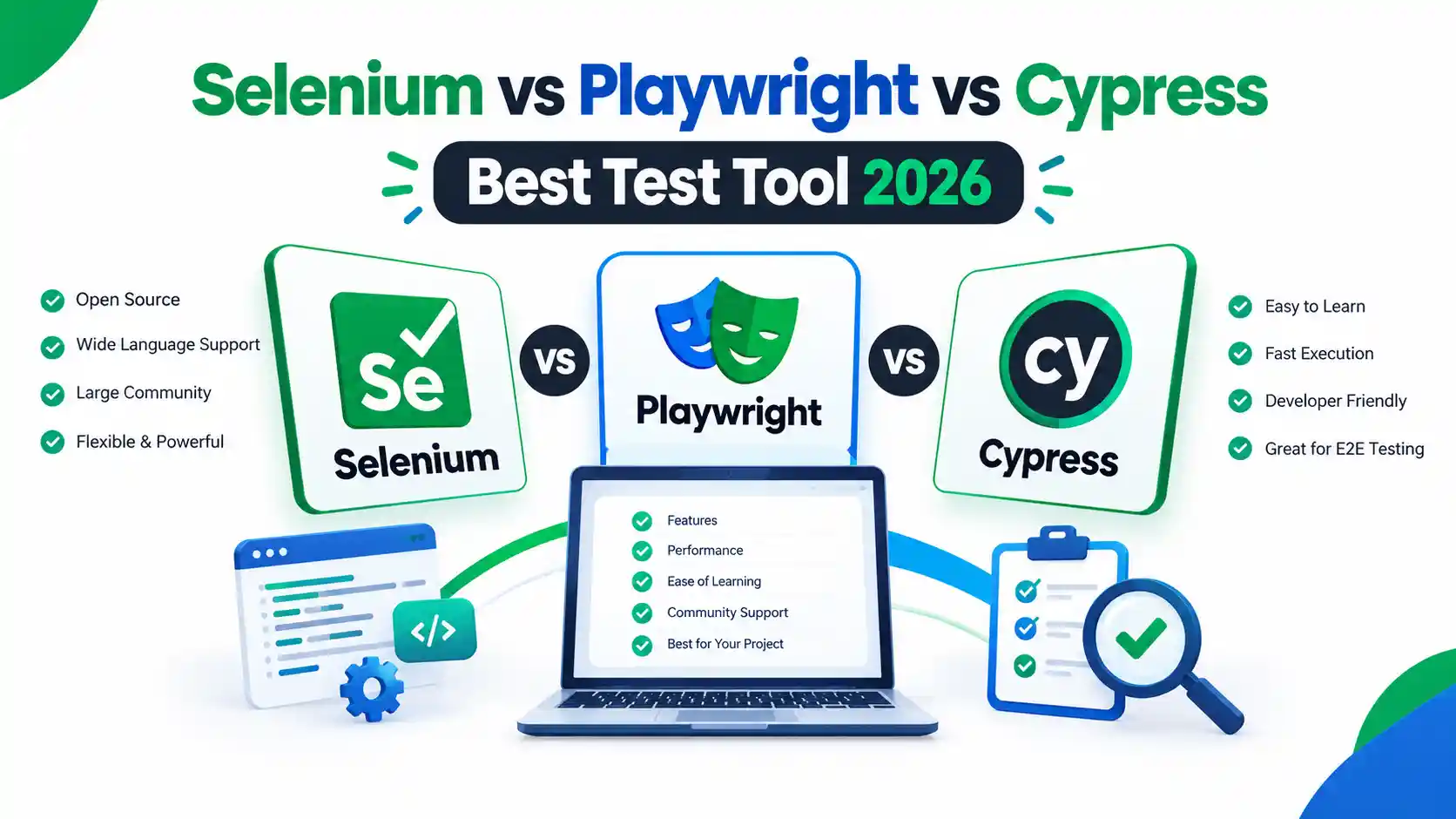
Choosing a test automation tool can shape how fast your team ships and how much time you spend fixing broken tests. In 2026, three names come up in almost every discussion: Selenium, Playwright and Cypress. Each can automate a real browser, but they differ in architecture, language support, browser coverage, debugging and the way they run tests in parallel.
This guide compares them side by side so you can decide with confidence. You will see what each tool does well, where it falls short, and which one fits a new project, an existing Selenium suite or a JavaScript front-end team. If you are just starting out, we also explain what to learn first. Strong test design and QA fundamentals matter more than any single tool, and if you choose a JavaScript-based tool, these beginner JavaScript projects are a practical place to build your skills.
All tool facts come from the official Selenium, Playwright and Cypress documentation. Where we give an opinion, we say so, so you can separate documented features from our interpretation.
Quick answer
There is no single winner. Each tool suits a different team:
- Playwright is the strongest default for a new web project that needs cross-browser coverage, built-in parallel runs and strong debugging.
- Selenium is the safer choice when your team works in Java, C# or Ruby, runs a large existing suite, or needs a broad, standards-based ecosystem.
- Cypress is the most comfortable option for JavaScript or TypeScript front-end teams who want a fast feedback loop in a single browser tab.
If you are a beginner choosing what to learn first, learn testing fundamentals and one language, then start with Playwright or Selenium depending on the jobs you are targeting. The reasoning is below.
What are Selenium, Playwright and Cypress?
All three automate a real browser so that software can check a web application the way a user would. This is called end-to-end (E2E) or UI testing.
Selenium is the longest-established of the three. Its WebDriver library controls browsers from several programming languages: Java, Python, C#, Ruby and JavaScript, with Kotlin users relying on the Java bindings. Selenium Grid lets you run WebDriver scripts on remote machines in parallel.
Playwright is a Microsoft-developed framework. According to the official Playwright site, one API drives Chromium, Firefox and WebKit, and it is available for TypeScript, Python, .NET and Java. Playwright Test is a full test runner with auto-waiting, assertions, tracing and parallelism.
Cypress is a JavaScript-based tool that runs inside the browser alongside your application. Its documentation says it supports Chrome-family browsers (including Edge) and Firefox, with experimental WebKit support.
Selenium vs Playwright vs Cypress: side-by-side comparison
| Feature | Selenium | Playwright | Cypress |
| Architecture | Controls the browser from outside via WebDriver | Out-of-process automation with its own test runner | Runs inside the browser |
| Languages | Java, Python, C#, Ruby, JavaScript (Kotlin via Java) | TypeScript/JavaScript, Python, .NET, Java | JavaScript and TypeScript |
| Browsers | Major browsers through their drivers | Chromium, Firefox, WebKit | Chrome family, Edge, Firefox; WebKit experimental |
| Built-in test runner | No (pair with JUnit, TestNG, pytest and so on) | Yes | Yes |
| Parallel execution | Selenium Grid or your runner | Built in (workers, sharding) | Via Cypress Cloud (--record --parallel) |
| Multi-tab testing | Supported | Supported | Not supported by design |
| Debugging | Depends on your runner and tooling | Trace Viewer | Interactive runner, screenshots and video |
| Best fit | Multi-language and enterprise setups | New cross-browser projects | JavaScript front-end teams |
How the architecture differs (and why it matters)
Architecture explains most of the practical differences.
Selenium sends commands to a browser driver, which controls the browser. This keeps it language-agnostic and standards-based, because it follows the W3C WebDriver approach. The trade-off is that you assemble more of the stack yourself: runner, assertions, reporting and waits.
Playwright ships with the runner, assertions and tooling. Its documentation states that each test gets a fresh browser context, equivalent to a new browser profile, which gives test isolation with little overhead.
Cypress runs in the browser. This gives tight access to the page and a smooth developer experience. Cypress's own documentation lists the trade-offs, including that it will not support multiple tabs.
Language and ecosystem
Language is often the deciding factor, and the choice should follow your team's skills.
- Java or C# team: Selenium or Playwright (both support these).
- Python team: Selenium or Playwright.
- JavaScript/TypeScript front-end team: Playwright or Cypress.
- Mixed-language organisation: Selenium offers the widest official language choice.
Cypress is the one tool here that is tied to JavaScript and TypeScript.
Browser support
Playwright covers Chromium, Firefox and WebKit, the engine behind Safari, with one API. This matters if your users include iPhone and Mac visitors.
Cypress officially supports the latest three major versions of Chrome, Firefox and Edge, and treats WebKit as experimental.
Selenium works with the major browsers through their drivers and suits teams that must cover a wide range of browser and operating-system combinations through a Grid.
Reliability and flaky tests
Flaky tests pass and fail without any change to the code. They are usually caused by timing problems: the test acts before the page is ready.
- Playwright waits for elements to be actionable before acting. This is built in.
- Cypress retries commands and assertions automatically as part of its design.
- Selenium needs you to design your waits carefully (explicit waits are the usual best practice). That is flexible, but it puts more responsibility on the engineer.
No tool removes flakiness completely. Poor locators, shared test data and unstable environments will break any suite.
Debugging and reporting
- Playwright: The Trace Viewer records actions, DOM snapshots, network activity and console output, so you can replay a failed CI run step by step.
- Cypress: An interactive runner shows commands as they execute, and runs capture screenshots and videos.
- Selenium: Debugging depends on your runner, logging and reporting choices. This is flexible but needs setup.
Parallel execution and CI/CD
Parallel execution runs several tests at the same time to shorten feedback.
- Selenium: Use Selenium Grid to distribute runs across machines and browser versions.
- Playwright: Parallelism and sharding come with the test runner.
- Cypress: Parallelisation runs recorded tests across machines and requires the --record flag, which sends results to Cypress Cloud.
All three work with common CI systems such as GitHub Actions and Jenkins.
API testing and network control
Playwright and Cypress both include ways to intercept and mock network traffic in browser tests. Selenium focuses on browser automation, so many teams pair it with a separate HTTP or API testing library. Check each tool's current documentation for the exact features you need.
Pros and cons
Selenium
- Pros: broad language support, large community, standards-based, mature Grid.
- Cons: more setup, manual wait design, no built-in runner.
Playwright
- Pros: cross-browser including WebKit, built-in runner, strong tracing, native multi-tab and multi-context support.
- Cons: a newer ecosystem than Selenium, and fewer official language options than Selenium (four versus five or more).
Cypress
- Pros: excellent developer experience, readable commands, fast local feedback.
- Cons: JavaScript/TypeScript only, no multi-tab testing, parallel runs depend on Cypress Cloud, WebKit is experimental.
Which tool should you choose?
| Your situation | Likely best fit |
| New project, cross-browser coverage matters | Playwright |
| New project, cross-browser coverage matters | Stay on Selenium; migrate gradually if the pain justifies it |
| Java or C# QA team | Selenium or Playwright |
| React/Vue front-end team, single-tab flows | Cypress or Playwright |
| Tests need multiple tabs or windows | Playwright or Selenium |
| Safari/WebKit coverage required | Playwright |
Which should a beginner learn in 2026?
Start with fundamentals. Tool names change faster than the skills underneath them.
Learn how testing works: test cases, bug reports, regression testing and how QA fits into delivery. Manual and test-design skills make automation far easier.
Pick one language: Python or Java for Selenium, or JavaScript/TypeScript for Playwright and Cypress. If you pick JavaScript, these beginner projects are a practical starting point.
Learn one tool properly: locators, waits, assertions, test structure and CI.
Check the live job market: read current QA automation job posts in your city and note which tool each one names. That tells you more than any general ranking.
For tool choice, our assessment is that Playwright is the strongest all-round choice for new projects. Selenium remains the pragmatic choice where employers run Java or C# stacks. The right answer for you is what the jobs you want ask for.
Is Selenium outdated in 2026?
No. Selenium is actively documented and maintained, and Grid and WebDriver remain widely used. Newer tools have changed expectations for built-in tooling, so Selenium can feel more manual by comparison. Whether that matters depends on your team.
Is Playwright replacing Selenium?
Playwright is clearly attractive for new projects, but "replacing" overstates it. Many organisations keep working Selenium suites because rewriting tests has a real cost. Treat it as a choice of fit, not a winner-takes-all contest.
Is Cypress still worth learning?
Yes, if you work in a JavaScript front-end team and your flows fit its model. Know the limits (single tab, JS/TS only) before committing.
Common mistakes when choosing a tool
- Choosing on popularity alone instead of team skills and test needs.
- Rewriting a stable suite without a measurable reason.
- Automating everything instead of the most valuable, stable flows.
- Judging speed from other people's benchmarks instead of trying a pilot on your own application.
- Ignoring test data, environments and locator quality, which cause more flakiness than the tool does.
How to run a fair pilot
Pick five to ten representative user journeys, including a login and one complex form.
Build the same journeys in each shortlisted tool.
Compare setup time, failure diagnosis, CI run time and how readable the tests are for your team.
Decide using your own results.
QA careers and automation skills
Automation is one part of a QA career. The US Bureau of Labor Statistics describes the role of software quality assurance analysts and testers as identifying problems with applications and reporting defects. That description is US-specific, but the core work translates. AI is also changing entry-level work, so it helps to understand how AI affects traditional jobs and to keep building skills that tools cannot replace, such as test design and clear bug reporting. After finishing any course, a 30-day action roadmap helps turn learning into a portfolio.
Frequently asked questions
Which is better, Selenium or Playwright?
Playwright suits new cross-browser projects with built-in tooling. Selenium suits teams that need broad language support or already maintain a large suite.
Should I learn Selenium or Playwright in 2026?
Check the job posts you are targeting. Learn Selenium if they ask for Java or C# stacks, and Playwright if they ask for modern JavaScript/TypeScript tooling.
What is the difference between Selenium and Cypress?
Selenium controls browsers from outside using WebDriver and supports several languages. Cypress runs inside the browser and supports only JavaScript and TypeScript.
What is the difference between Playwright and Cypress?
Playwright supports Chromium, Firefox and WebKit, multiple tabs and several languages. Cypress focuses on JavaScript, supports Chrome-family browsers and Firefox, and does not support multi-tab testing.
Which tool is best for beginners?
Any of the three can work. Beginners usually do best by choosing the tool that matches the one language they are learning, then building small projects.
Is Cypress free?
Cypress is available as open source, but parallel recorded runs use Cypress Cloud. Check Cypress's current pricing page for plan details.
Which tool is best for cross-browser testing?
Playwright covers Chromium, Firefox and WebKit with one API. Selenium Grid also supports wide browser coverage across machines.
Can I use more than one tool?
Yes. Some teams use different tools for different products, though standardising reduces maintenance.
Next step
If you want structured, mentor-led training in test design, bug reporting and automation fundamentals, see the Software Quality Assurance course at IDT Pakistan for current syllabus, fee, duration and batch details.
Conclusion
There is no universal winner among Selenium, Playwright and Cypress. Playwright is a strong default for new cross-browser projects because it bundles a test runner, tracing and parallel execution. Selenium remains the practical choice for teams that use Java or C#, need wide language support or already maintain a large suite. Cypress suits JavaScript front-end teams who want a smooth developer experience and can work within its single-tab model.
The best way to decide is a small pilot. Automate five to ten important user journeys in your shortlisted tools, then compare setup time, failure diagnosis and CI run time on your own application.
If you are building a career in testing, learn one language and one tool properly, and then keep your skills current. A 30-day action roadmap can help you turn learning into real projects. For structured guidance in bug reporting, test cases and automation fundamentals, visit the Software Quality Assurance course page at IDT Pakistan for current syllabus, fee, duration and batch details.